
BC Law AI News & Insights: Q1 2026 Edition
BC Updates
AI and Your Summer Job — Student Workshop
The Career Services Office and the Law Library co-hosted “A.I. and Your Summer Job: Best Practices and How to Avoid Trouble” on Tuesday, April 21, in EW 120. Led by Jacob Samuelson, Legal Information Librarian and Lecturer in Law, the session gave students a practical overview of getting the most out of whatever AI tools they’ll have access to this summer — and key tips for avoiding trouble.
Jake’s tiered handout — a “Never / Rarely / Generally” guide to AI use in legal work, keyed to specific Model Rules — is available for anyone who couldn’t attend. A companion piece on AI and the ABA Model Rules is in development. As more resources around responsible AI use in legal practice become available, we’ll continue to share them with the BC Law community as part of this newsletter.
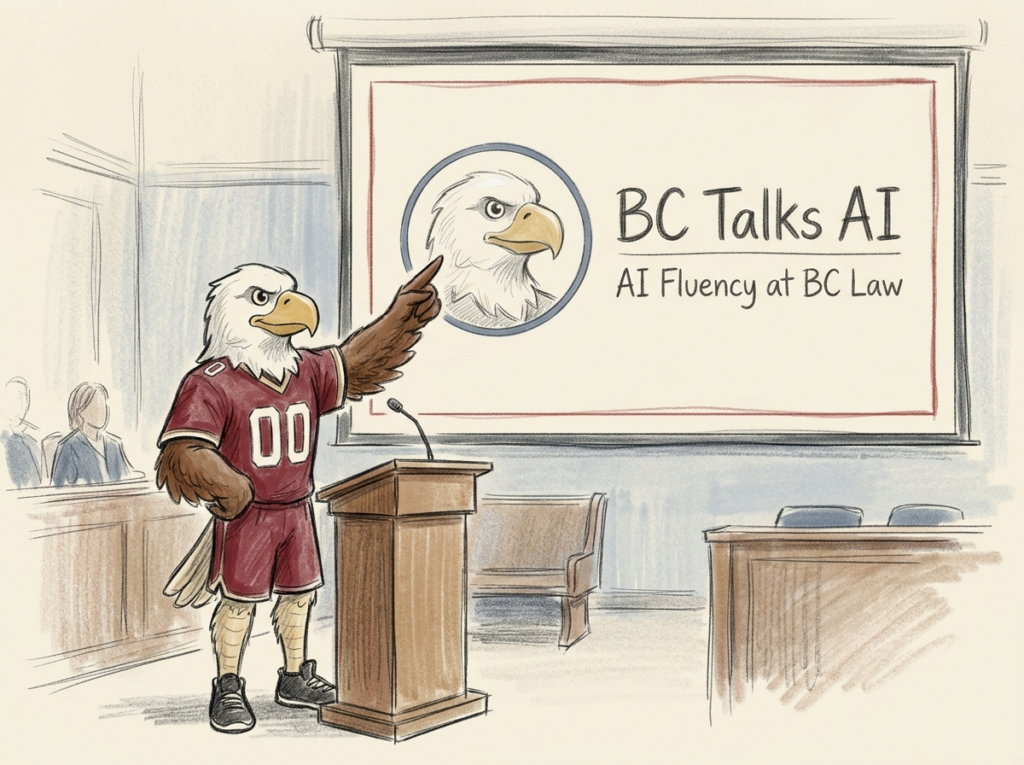
BC Talks AI 2026 — full agenda is live, and BC Law is on it
Wednesday, May 13 | Gasson Hall | 8:30 AM – 3:30 PM
Interest in BC’s all-day AI event has nearly doubled year-over-year, with 400+ colleagues already registered. The full conference agenda is now published — and BC Law is on the program with its own panel :
AI Fluency in Practice: Lessons from Teaching, Learning, and Building with AI at BC Law (Panel Discussion)
- Kyle Fidalgo, Academic Technologist
- Maureen Van Neste, Associate Professor of the Practice
- Jake Samuelson, Legal Information Librarian & Lecturer in Law
- Raul Carrillo, Assistant Professor
A lightning-format panel from BC Law faculty, librarians, and academic technology staff sharing practical approaches to AI integration across teaching, learning, and administrative work — custom AI assistants for workshop development, chatbots in classroom pedagogy, immersive 1L simulation design, and the cross-role collaboration that’s been holding the BC Law AI Fluency program together. Real workflows, lessons learned, and Q&A to close.
Agenda + details: BC Generative AI Events
New Video: Understanding System Prompts
If you’ve ever opened a new AI chat and felt like you’re re-explaining yourself every time, this short video is for you. Kyle Fidalgo, Academic Technologist at BC Law, walks through what system prompts are—the one-time instructions you write so the AI knows who it’s working with, what you need, and how you want things done.
The video also introduces a collaborative pattern worth keeping in mind: you can use AI to help you write the very instructions that shape how AI works for you. That same conversational workflow — describe what you need, let the tool interview you, refine as you go — generalizes to most of the knowledge work you do. It’s the thread these videos are meant to pull on.
- Deeper walk-through: Written guide
- Watch: Understanding System Prompts (YouTube description links to additional resources)
- Quick reference: Markdown explainer
Story Highlights
Courts Are Drawing Practical Lines
Recent rulings and court opinions are giving more definition to what competent AI use in legal practice actually looks like.
In United States v. Heppner , Judge Rakoff held that a criminal defendant’s self-directed use of Claude to prepare defense-related materials was not protected by attorney-client privilege or the work-product doctrine. On those facts, Claude was not counsel, the platform’s terms undermined a reasonable expectation of confidentiality, and the defendant’s use was not directed by his attorney. Rakoff explicitly left room for a different result under a Kovel -type arrangement with counsel direction and enterprise-tier tools that contractually protect user data. ( Harvard Law Review Blog ; Ballard Spahr synthesis across Heppner and companion cases )
Other cases complicate any simple rule that AI use automatically waives protection. In Warner v. Gilbarco , a federal magistrate judge protected a pro se litigant’s ChatGPT materials as work product. In Morgan v. V2X , a Colorado magistrate judge concluded that AI use did not automatically eliminate privacy expectations or waive work-product protection—while still requiring disclosure of the AI tool used with confidential information and adding safeguards to the protective order. ( eDiscovery Today )
In Jeffries v. Harcros Chemicals , the court distinguished open and closed AI tools in discovery, limiting open tools over privacy, data-protection, and protective-order concerns while allowing closed tools with appropriate safeguards. ( Ballard Spahr synthesis )
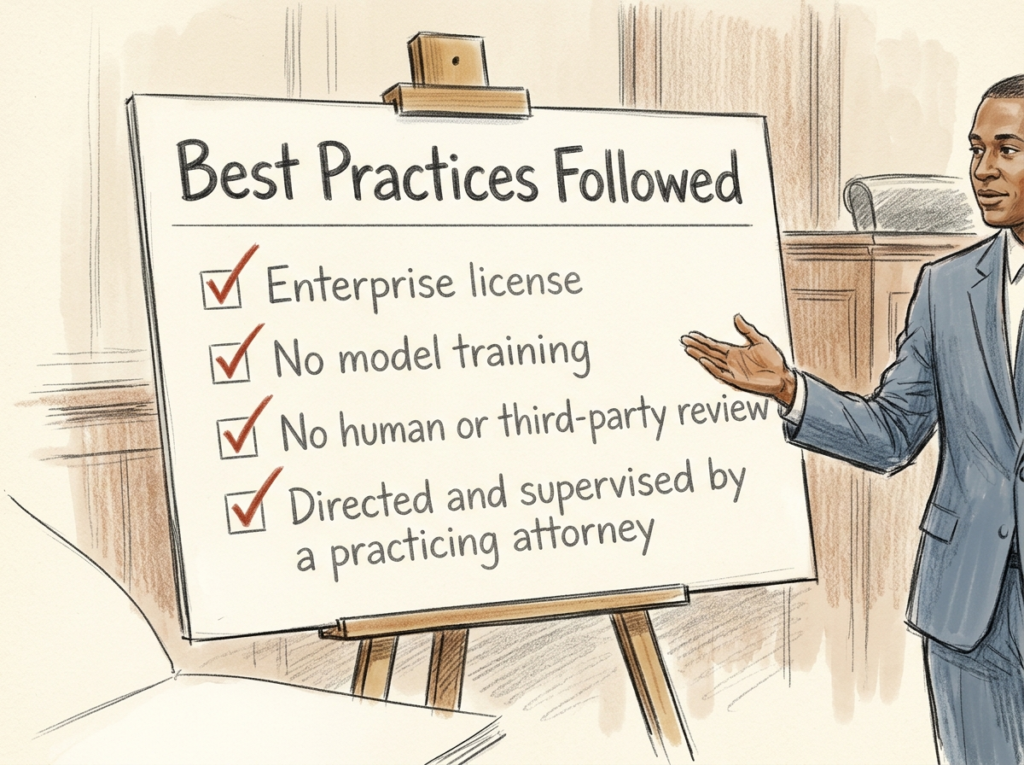
Courts are now offering steps to take in order to mitigate risk when discussing confidential information in AI tools—Something not currently possible with free or paid consumer versions of common chat assistants but can be made contractually binding in business or enterprise tiers.
- Model Training: The AI provider must be contractually prohibited from using inputs to train or improve its models.
- Strict Confidentiality: The AI provider cannot disclose inputs to third parties unless essential for service or delivery.
- Right to Delete: The user must have the contractual ability to remove or delete all confidential information upon request
The underlying professional duties—competence, supervision, confidentiality, accuracy—do not change because a new tool has entered the conversation. Before using AI for legal work, ask the basic questions: What tool is this? Is it open or closed? What do the terms say? What information am I entering? Can the tool access the sources needed for a reliable answer? Does a court order, client rule, or workplace policy apply? What must I verify before relying on the result?
Verification Still Belongs to the Human
In Gutierrez v. Lorenzo Food Group , a brief opposing a motion to dismiss included quotations attributed to the wrong cases and citations to cases that had been bad law for decades. At first glance, it looked like another AI hallucination story. It was not. The errors were introduced by a paralegal, and the signing attorney had reviewed only an earlier draft, not the final version filed with the court. Judge Padin found violations of the duties of competence, supervision, and responsibility for nonlawyer assistance, and imposed sanctions. The court was direct about why the AI question wasn’t the central one:
“Whether GAI was used in drafting the MTD Opposition is not central to this Court’s decision because regardless of whether it was a person or a large language model that made these errors, the attorney responsible for filing the brief has an obligation to ensure that the arguments and contentions made within it are accurate and supported by existing law.”
The court then ordered the attorney to complete a CLE course on AI—even though no one had used AI—because the attorney testified he was unfamiliar with it. The footnote: “as a practicing attorney managing a law firm, Mr. Mott ought to become familiar with GAI as it inexorably plays a larger role in lawyering.” ( Full opinion, PDF )
The same verification problem appeared in a more high-profile setting. Sullivan & Cromwell—one of the top firms on Wall Street and OpenAI’s own outside counsel on the “safe and ethical deployment” of AI—filed an emergency apology letter on April 18 to a federal bankruptcy judge after opposing counsel flagged AI-generated errors in an S&C emergency motion: wrong case numbers, misquoted authorities, fictitious citations. The firm conceded in its letter that “Safeguards are designed to prevent exactly this situation… this review process did not identify the inaccurate citations generated by AI.” ( Bloomberg Law )
The bigger picture here is as much about process failure as it is about AI failure. The mitigation is the same set of habits that defined competent practice before AI: know the tool you’re using, use it within your workplace’s policies, and read the final draft before you sign your name to it.
The Needle Has Moved on Adoption
It’s tempting to read the stories above as a story about risk. That’s half the picture. The other half is that AI is now part of how legal work gets done. Law schools and even K–12 districts are also formalizing AI fluency as a baseline expectation.
- Corporate legal GenAI adoption doubled in a year. The 2026 General Counsel Report — produced by FTI Consulting and Relativity, with research by Ari Kaplan Advisors — found that 87% of general counsel report GenAI use within their teams in 2026, up from 44% in 2025 (and 20% in 2023). The survey reached 200+ GCs at large global corporations across roughly a dozen countries, and 39% now name AI a strategic priority. ( eDiscovery Today summary ; Law.com Legaltech News — adoption is rising, but trust lags )
- Federal judges are using it too. A Northwestern-authored survey published in the Sedona Conference Journal found 61.6% of responding federal judges use AI tools in their own judicial work — most often for legal research and document review. ( The Ethics Reporter summary of the Sedona Journal survey )
- Mississippi College School of Law became the first law school in the Southeast to require AI education for all 1Ls. The intensive certification course, designed and taught by Oliver Roberts (editor-in-chief of AI at The National Law Review ), covers tools like Westlaw AI, the regulatory environment, ethical use, and a hands-on final project. ( MC Law announcement )
- Stanford Law & eight peer schools launched the Legal AI Scholars Program with Legora. Adding to the law schools that now require AI training for first-year students — including Stanford, Northwestern, and BU — are founding members of the new program. ( Stanford Report & Legora Announcement )
- Boston Public Schools announced in March that it will become the first major-city U.S. school district to guarantee AI proficiency at graduation. The initiative rolls out across BPS high schools in September 2026, built in partnership with UMass Boston and seeded with a $1M grant from Kayak co-founder Paul English. Students entering college in a few years will arrive with AI literacy expectations already baked in. ( Boston Public AI initiative ; WBUR coverage of the announcement )
The institutions feeding into legal practice, and the employers waiting on the other side of graduation, are raising the floor on what AI literacy means.
Prompt Tip
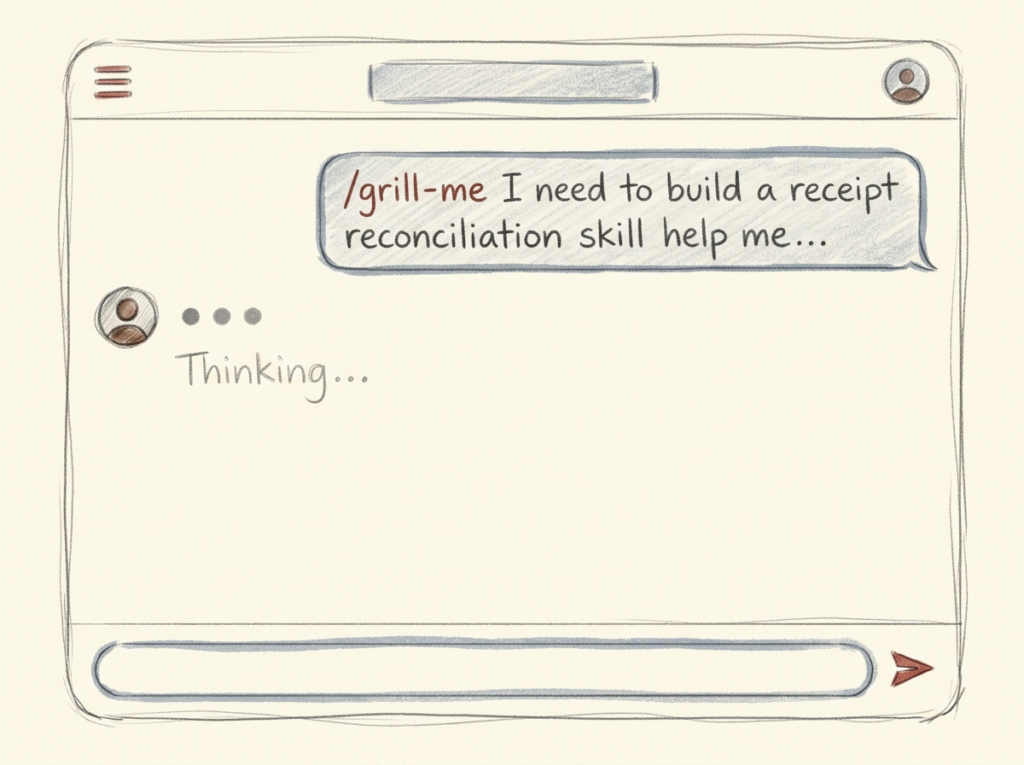
The “Grill Me” Prompt
Here’s the entire prompt:
Interview me relentlessly about every aspect of this plan until we reach a shared understanding. Walk down each branch of the design tree, resolving dependencies between decisions one by one. For each question, provide your recommended answer so I can compare it to my thinking.
That’s it. Three sentences. I picked it up from a short video by Matt Pocock that walks through a handful of prompts he uses daily, and it has quickly become one of the prompts I reach for most.
Why it works has very little to do with the AI. You almost certainly know your work better than you can articulate it. The constraints, the audience expectations, the things you would never do, the lived sense of what “good” looks like—most of that knowledge is implicit. A relentless interviewer pulls it out into the open, where you can examine it, share it, and act on it. The model isn’t generating the answer; it’s generating the questions that get your own thinking onto the page.
That makes this a very useful general-purpose knowledge-work prompt. It applies any time you’re moving from a fuzzy idea to a concrete plan—a course design, a policy memo, a hiring rubric, a research approach, an article outline, a client proposal, a curriculum. Anywhere the quality of the thinking matters more than the speed of the output.
AI is adaptable. Natural language is how you adapt it. Notice the prompt above doesn’t name a domain. It doesn’t have to. The simplest move is to ask the model itself to tailor the prompt to your situation:
Help me adapt this prompt to my work on [a tax memo for a complex client / redesigning a 2L seminar / drafting an institutional AI policy]. What additional framing or constraints would help you grill me effectively in that context?
You supply the experience, the discernment, and the direction. The model supplies the relentless questioning. Your judgment is doing the real work—the prompt is just a way to externalize it.
A version tailored to legal work. When you’re verifying work you’re about to sign your name to, naming the audience and the stakes sharpens the questioning:
I have a [draft / argument / research approach / memo outline] that I need to pressure-test before [presenting to a partner / filing / a client meeting].
Interview me relentlessly about it until we reach a shared understanding of whether it’s solid. Walk through one piece of my reasoning at a time. For each question, share your recommended answer so I can compare it to mine. Don’t move on until each piece is resolved. Flag anything that seems weak, contradictory, or underdeveloped.
Be direct. I’d rather find the gaps now than in front of [the partner / the judge / opposing counsel].
A few small moves sharpen the result regardless of context:
- Bring real source material. Paste the draft, the rule, the relevant facts. Don’t summarize — give the model the actual text. The grilling gets specific only when the inputs do.
- Name the audience. “A skeptical client,” “a partner who hates surprises,” “a judge who’s seen too many AI-citation cases” — the framing changes the angle of attack.
- Ask it to flag what it’s unsure about. Models will gloss past gaps unless you tell them not to.
Front-loading your thinking is one of the highest-leverage moves in AI-assisted work. This prompt gives you a way to do it whenever you want, with an interlocutor that doesn’t get tired of pulling on threads until you’re ready to move forward.
Model & Feature Updates
The pace continues. Here are the recent releases worth knowing about, with links if you want to dig into capabilities, availability, or pricing.
Anthropic
- Claude Opus 4.7 — Anthropic’s new flagship. ~13% lift on coding benchmarks, three times more production tasks resolved end-to-end, higher-resolution vision input (up to 3.75 MP), and an updated tokenizer. Pricing unchanged from 4.6 ($5/$25 per million input/output tokens). Available across Claude products, the API, Bedrock, Vertex AI, and Microsoft Foundry.
- Claude for Word (beta) — A native sidebar inside Microsoft Word that drafts, edits, and revises with tracked changes and preserved formatting. Document-aware, and threads with Claude for Excel and PowerPoint for cross-document work. Team and Enterprise plans only — meaning the account terms govern data handling, an important detail given this issue’s focus on confidentiality.
- Claude Design (research preview) — A first-party Claude product aimed at non-designers producing slides, prototypes, and one-pagers. Available on Pro, Max, Team, and Enterprise.
- Claude Cowork (research preview) — Anthropic’s desktop research preview gives Claude direct access to your computer, local files, and applications — Claude can move between files and apps to complete deliverables end-to-end. The same agentic capability is available inside Claude Code. Cowork also added scheduled tasks: morning briefs, weekly digests, or Friday presentations that run automatically at set times. Available on all paid plans through the Claude desktop app.
- Project Glasswing — Anthropic announced an initiative using an unreleased frontier model (“Mythos”) to help secure critical software. Mythos has reportedly already identified thousands of high-severity vulnerabilities across major operating systems and browsers. Launch partners include AWS, Apple, Cisco, CrowdStrike, Google, JPMorganChase, Microsoft, NVIDIA, and Palo Alto Networks. Not consumer-available — but a useful signal of where AI in cybersecurity is heading.
OpenAI
- GPT-5.5 — OpenAI’s “smartest and most intuitive” model, positioned toward agentic computer use: coding, research, software operation, working in docs and spreadsheets. Rolling out to Plus, Pro, Business, and Enterprise in ChatGPT and Codex ( System card )
- Codex app for Mac — OpenAI repositioned Codex from a coding assistant into a general-purpose agent app for macOS. It works alongside you in everyday applications, supports memories that carry context across threads, and adds automations — scheduling future work and waking up to continue long-running tasks across days or weeks. New harness/capability territory worth a look even if you don’t write code; the same patterns generalize to research, document workflows, and operations work.
- ChatGPT Images 2.0 — The first image model with native “thinking” — reasoning is now inside image generation, not just chat. Renders dense text more accurately, handles 3:1 to 1:3 aspect ratios, and generates multiple images at once. Useful for anyone making legal or educational visuals where typography has to survive.
- Gemma 4 — A new generation of Google’s open-weight models under the Apache 2.0 license, including a 31B dense variant that ranks #3 on the Arena AI text leaderboard. Native vision and audio on smaller variants, 128K–256K context, support for 140+ languages. Because it’s open and runs locally, it’s worth a look for sensitive work where you’d rather data not leave the machine. ( Google Blog announcement )
- Gemini Notebooks — Google brought NotebookLM’s source-grounded research workflow into the Gemini app. Sources added in either app sync across both, so a notebook you build in NotebookLM is available inside Gemini and vice versa. Rolling out first to Google AI Ultra, Pro, and Plus subscribers on the web. Useful as a research and synthesis surface where you control the inputs.
- Gemini app for macOS — Free native macOS app on macOS 15+, activated with Option+Space. Supports screen sharing with Gemini, local file context, and image and video generation via Nano Banana and Veo.
- Stitch — Google Labs’ AI-native UI design canvas added “vibe designing” — start from an objective or a feeling rather than a wireframe. Voice canvas interaction, real-time critiques, and design-system extraction from any URL. Free with a Google account. A non-designer’s path to producing UI mockups.
Legal-specific tools
- Lexis+ with Protégé + Workflows — Lexis+ with Protégé now supports agentic multi-step workflows: contract review, deposition prep, and similar — with citation-backed responses grounded in the Lexis library. The linked resource hub bundles the workflow demos, training materials, and webinar recordings for the new agentic features.
Other Links of Interest
- EDUCAUSE’s 8 Dimensions of AI Literacies — A usable framework for thinking about what AI literacy actually comprises at an institutional level. EDUCAUSE’s 2025 leadership series applied this framework to executive strategy; the underlying article is the clearest place to start.
- What Do Employers Mean by “AI Skills,” Anyway? — Sobo & Goldberg in Inside Higher Ed argue vague employer calls for “AI preparedness” need to be replaced with concrete, role-specific competencies — backed by a Cal State survey of 80,626 students where 70% believe AI will be essential in most professions but only 37% say their curriculum offers adequate AI exposure.
- Zapier raised its AI-fluency hiring bar — One year after introducing an AI fluency rubric, the company formalized higher minimum standards for new hires: AI embedded into core work with measurable impact, forward momentum in skill development, and a new manager-accountability dimension requiring team-wide adoption, not just personal proficiency. Their published rubrics span legal, marketing, operations, and administration — a useful look at how an AI-native company thinks about fluency across functions, not just for engineers.
- Justice Sotomayor on AI and human values — Speaking at the University of Alabama School of Law’s Albritton Lecture on April 9, Justice Sonia Sotomayor framed AI as “a sophisticated human. It is — all of its input is input from human beings. Because it is that, it has the potential to perpetuate the very best in us, and the very worst in us.” A useful complement to the Heppner / Gutierrez line: the verification obligation is not just a technical question, it’s a values one. ( Full lecture on C-SPAN )
- What 81,000 People Want from AI (Anthropic) — Anthropic invited Claude users to describe — in their own words — how they use AI and what they hope for and fear from it. Over 80,500 people across 159 countries responded in a single week. Headline findings: 67% positive sentiment globally, top concerns around unreliability and economic impact, and independent workers reporting empowerment at three times the rate of institutional employees.
- From Prompt to Practice: A Framework for Transparent GenAI Use in Higher Education — Carol Damm and Lance Eaton place AI use on a continuum from minimal to comprehensive, paired with documentation and disclosure recommendations for each level. Practical for faculty and staff thinking through how to talk about AI use in their courses, syllabi, and scholarship.
- The Augmentation Trap (Caosun & Aral, MIT Sloan) — A new paper looks at the long-run interaction between AI productivity gains and the expertise underlying them — citing a year-long oncology study in which AI decision support degraded clinicians’ independent judgment, and a dynamic model showing that even rational adopters can lose ground over time. A useful counterweight to the productivity-gain headlines, and a direct argument for AI fluency as ongoing practice rather than one-time tool adoption.
- AI was ruining my college philosophy classes. So I assigned a new kind of essay. — A University of Chicago philosophy professor stopped trying to catch students using AI — and instead made himself the collaborator they’d been outsourcing to a chatbot. The result was harder work, better thinking, and a class that wanted to publish their essay. It’s a small experiment, but the design principle translates to many teaching environments: when the process is relational and visible, authentic engagement follows. AI fluency isn’t just about using AI well, it’s about knowing what not to delegate, and designing your own process so that the thinking stays with you. You could build a reflective prompt exercise around this: “What parts of this task should I keep? What would I lose if I outsourced them?”
If you want to build your AI fluency (or help someone else build it), we have a few starting points available at BC:
- AI Foundations — A guided, self-paced journey for picking up core AI fluency skills. Developed by Kyle Fidalgo, Academic Technologist at BC law.
- Past BC Law AI newsletters — Every issue is archived. If you missed an edition, or want to revisit a prompt tip or story, it’s all there.
- Resources on HotShot — The courses specifically address the legal landscape, providing expert insights into AI use cases for litigation and transactional law, as well as essential guidance on ethics, professional responsibility, and risk mitigation.
- CDIL’s Engaging with AI resources — workshops, communities of practice, and materials for faculty and staff across BC.
Have questions or ideas? Want help creating your own AI workflows? Reach out to Kyle Fidalgo @ atrinbox@bc.edu.
Ready to build your AI competency? Discover AI literacy resources at AI Foundations.